9 Mar 2026
How Glow’s Form-Based Templates Turn Complex AI into Simple Tools
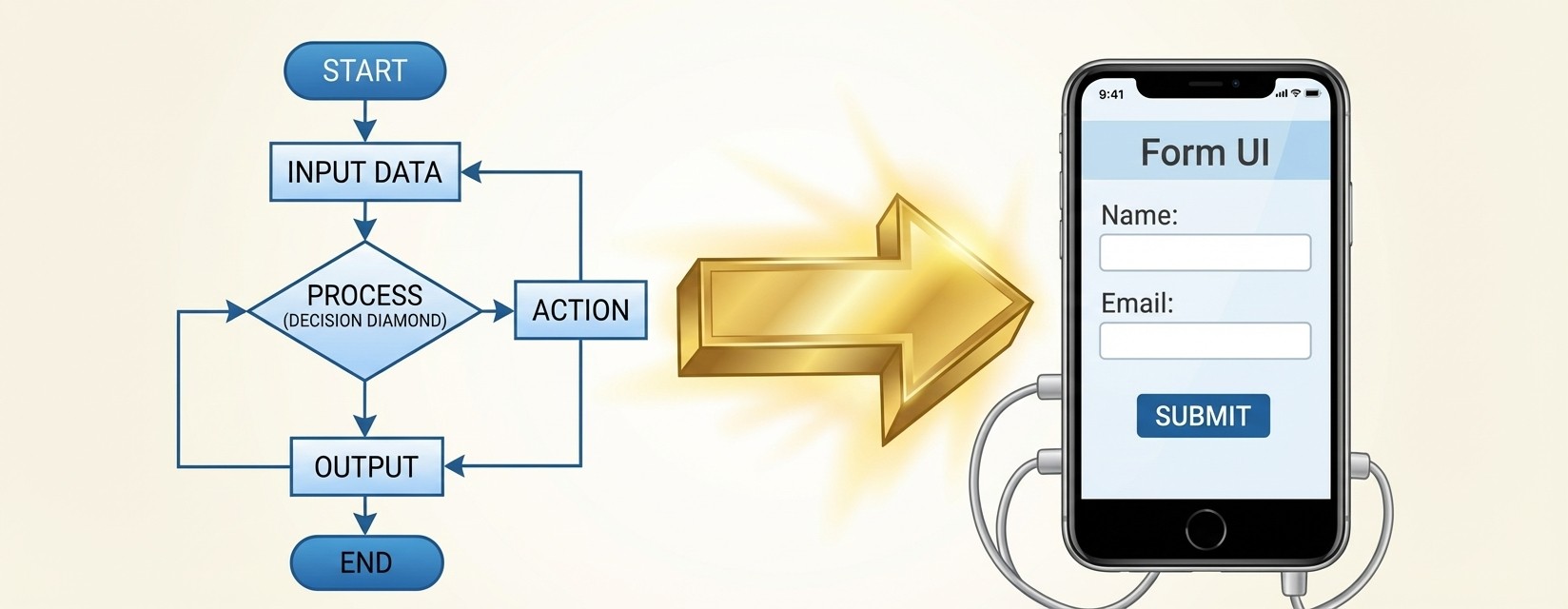
As an automation and AI expert in a large organization, you’ve likely felt the "Canvas Gap." You build a sophisticated, multi-step workflow with advanced logic, LLM prompts, and complex branching - only to realize that your non-technical colleagues find the visual designer intimidating.
When a tool looks like a circuit board, the average user hesitates. To truly scale your impact within a company, you need to hide the "how" and highlight the "result." That is exactly why Glow (formerly doflo) is introducing Form-Based Templates.
What are Form-Based Templates?
Form-based templates are sophisticated workflows that interface to non-technical users as a simple, digestible form. Instead of navigating a canvas of nodes and edges, an employee is presented with a clean UI.
To get a high-level automation running, a user only needs to:
Authorize the Apps: Authenticate their own accounts (like Gmail or Slack) once.
Configure Simple Fields: Tailor the workflow by filling out a few clear text boxes or dropdown menus.
This abstraction allows you, the expert, to build once and deploy to thousands, without providing a technical manual for every user.
A Real-World Example: Starred E-mail to To-Do Action
Let’s look at how this works in practice. Suppose you want to help your project management team handle "Inbox Zero." You’ve built an AI agent that scans emails and creates structured tasks.
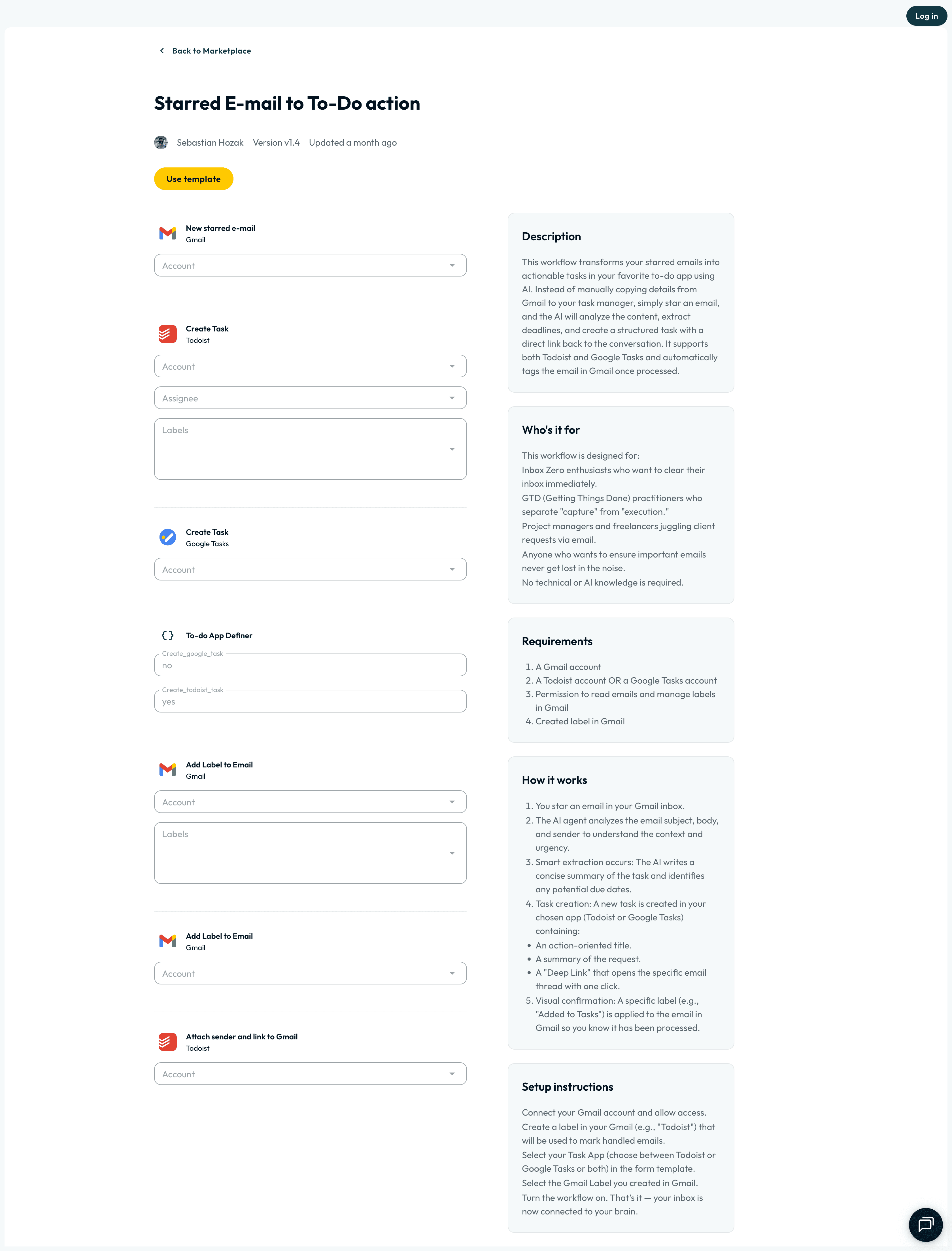
Starred E-mail to To-Do Template <—
In this template, the complex backend logic is simplified into a single-page setup:
App Integration: The user simply selects their Gmail, Todoist, or Google Tasks accounts from a dropdown.
Simple Configuration: They choose which labels to apply and which "To-do App" they prefer (e.g., Todoist or Google Tasks).
AI Power, No Prompting Required: The backend AI automatically analyzes the email subject, body, and sender to extract a concise task summary and identify due dates.
Accessibility: As the description states, "No technical or AI knowledge is required".
For the user, it’s a five-minute setup. For you, it’s a powerful AI agent successfully deployed across the department.
Why This is the Secret to Internal Scaling
For AI experts in big companies, the goal isn't just to build cool things - it's to drive ROI and adoption. Form-Based Templates facilitate this by:
Reducing Support Overhead: When the interface is a form, there are fewer "What does this node do?" questions in your Slack DMs.
Standardizing Security: You can build templates with pre-vetted AI prompts and logic, ensuring that non-technical users stay within the company’s "guardrails" while still benefiting from AI.
Speed to Value: Employees can move from "I heard about this tool" to "This tool is saving me 3 hours a week" in the time it takes to fill out a form.
By transforming your expertise into accessible forms, you aren't just an automation builder anymore - you're a force multiplier for your entire organization.
Ready to start scaling your workflows? Would you like me to draft a guide on how to convert your existing "Canvas" workflows into these user-friendly Form-Based Templates?